
MakerLink -- Your Founder Page
MakerLink -- Your Founder Page
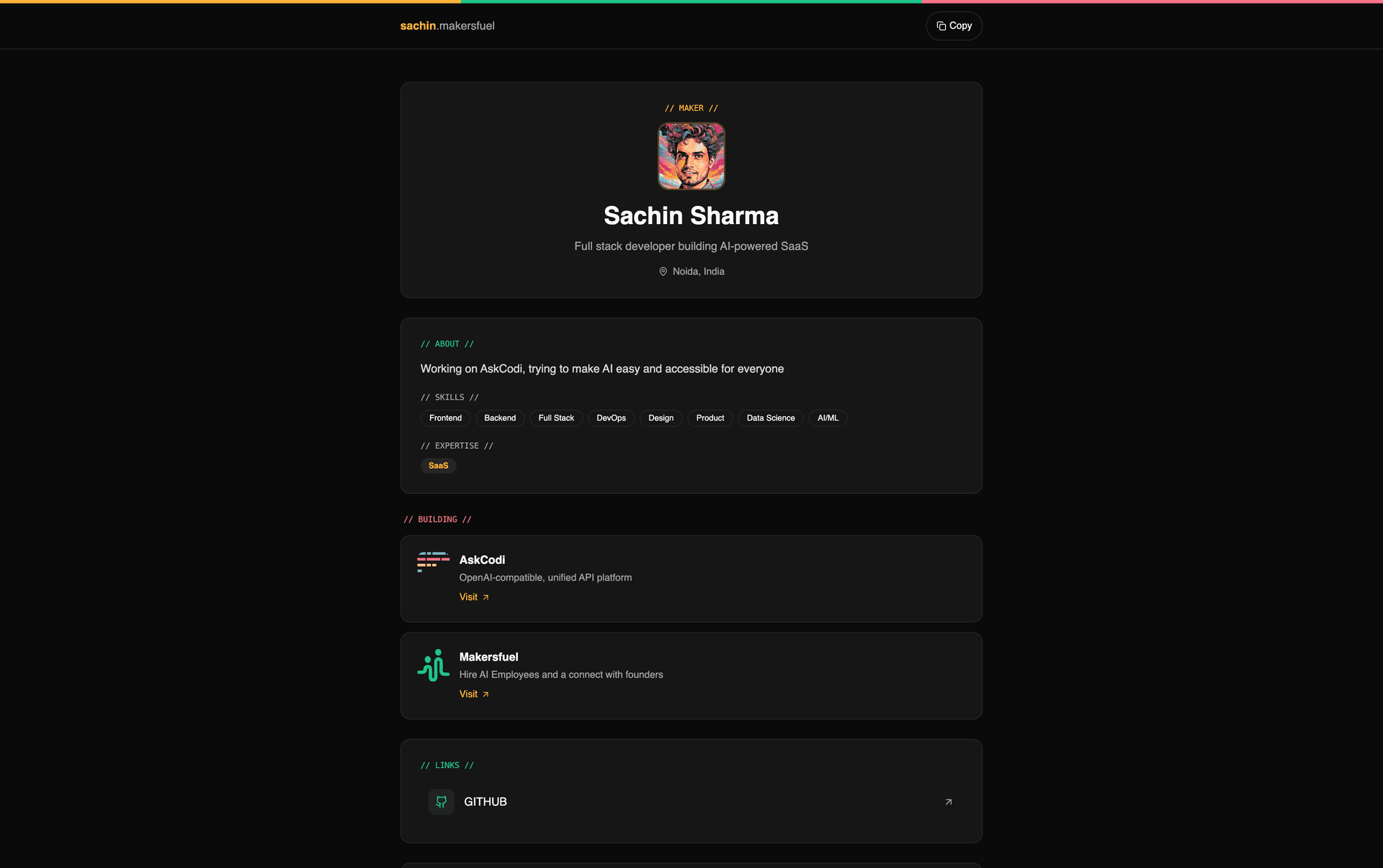
MakerLink is a free link-in-bio page built for founders. Share a single URL that shows your bio, skills, startups, social links, and more -- like Linktree, but made for makers.
Your public page lives at:
makersfuel.com/u/your-usernamePrerequisites
Before setting up MakerLink, you need:
- A Maker Profile -- create one at /makers/edit (see Maker Profiles)
- At least one startup -- optional but recommended for the best-looking page
MakerLink Dashboard
Access the dashboard from /makerlink in the sidebar navigation.
The dashboard uses a 3-column layout:
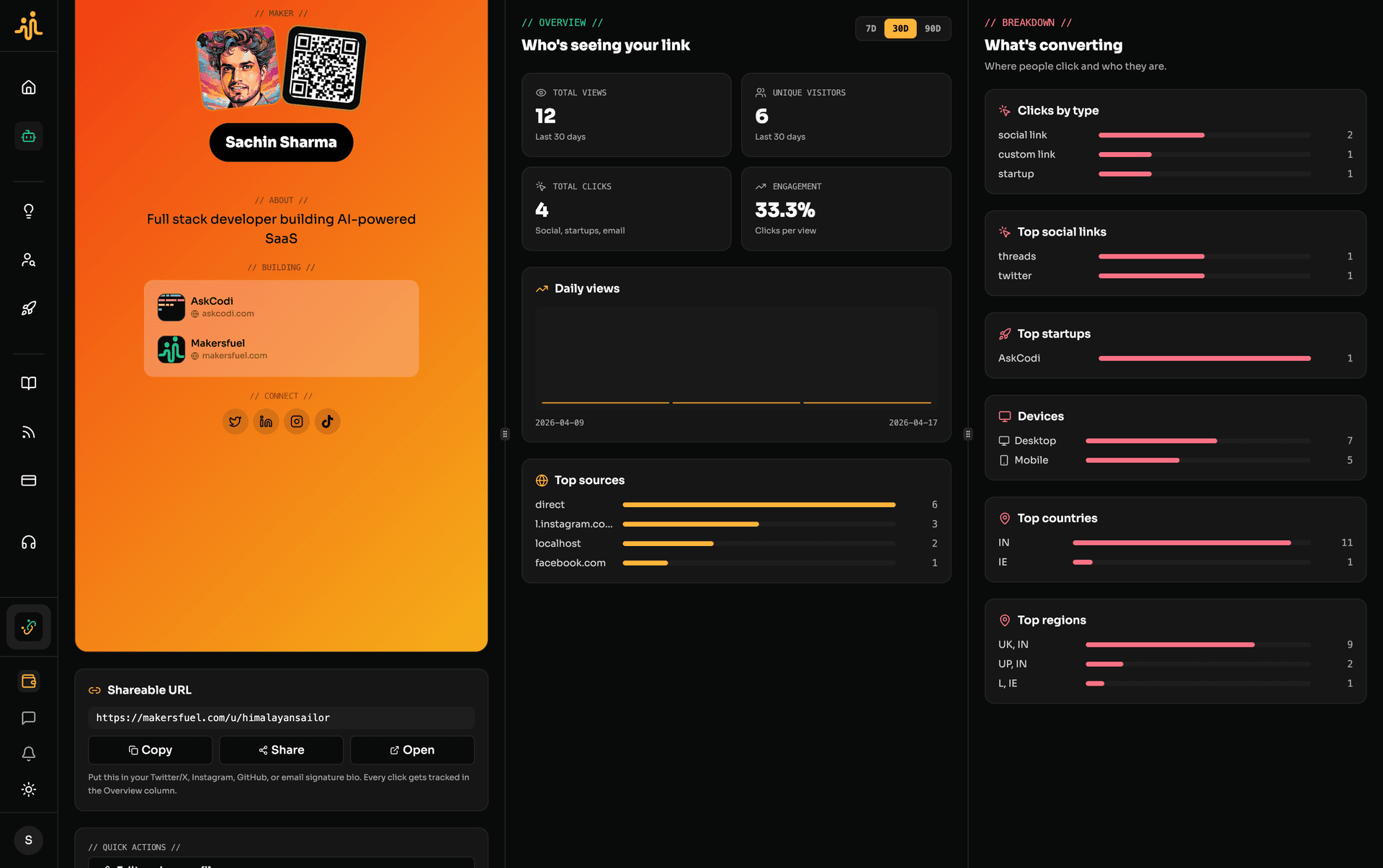
Column 1 -- Preview and Actions
- Live preview of your maker card
- Shareable URL with copy, share, and open-in-new-tab buttons
- Quick actions: edit profile, add startup
Column 2 -- Analytics Overview
- Total views, unique visitors, clicks, and engagement rate
- Daily trend chart
- Top referrers
- Period selector: 7D, 30D, 90D
Column 3 -- Detailed Breakdown
- Clicks by type
- Top social links and top startups
- Device breakdown (mobile, desktop, tablet)
- Top countries and regions
View Modes
MakerLink supports four view modes that control how your page renders. Set these in /makers/edit under the Card Appearance section.
| Mode | Behavior |
|---|---|
card (default) | Compact maker card on all devices |
portfolio | Full portfolio page on all devices |
card_mobile_portfolio_desktop | Card on mobile, portfolio on desktop |
portfolio_mobile_card_desktop | Portfolio on mobile, card on desktop |
Card Layouts
When using a card view mode, choose from three layouts:
| Layout | Description |
|---|---|
| Linked | Photo and QR code tilted side by side with a name pill |
| MakersFuel | Platform-themed with mono kickers and brand accents |
| Minimal | Clean and borderless |
Portfolio Layouts
When using a portfolio view mode, choose from three layouts:
| Layout | Description |
|---|---|
| Editorial (default) | Magazine-style with a large hero headline |
| MakersFuel | Platform-themed with mono kickers |
| Bento | Modern grid layout with boxes of varying sizes |
Customization
All appearance settings live in /makers/edit under Card Appearance.
Background
- Solid color -- pick any color
- Gradient -- 8 presets (sunset, ocean, forest, fire, midnight, peach, sky, lavender) or define a custom gradient
- Image -- upload a background image
Colors
| Setting | What It Controls |
|---|---|
| Accent color | Primary highlight color across the card |
| Text color | All text on the card |
| Icon color | Social and platform link icons |
Buttons
- Connect button -- style (default, outline, ghost), custom colors, roundedness (none, sm, md, lg, pill)
- Message button -- separate styling options
- Custom link buttons -- separate styling options
QR Code
Three styles available: standard, rounded, avatar.
Visibility Toggles
Show or hide individual sections:
- Headline
- Expertise
- Startups
- Social links (with per-social toggles)
- Platform links (with per-platform toggles)
- Custom links
- QR code
- Founder ID
- Connect button
- Message button
What Appears on Your Page
Your MakerLink page pulls from your Maker Profile and displays:
| Section | Details |
|---|---|
| Identity | Display name, username, avatar/profile image |
| About | Headline, bio, location, timezone |
| Skills | Your skills and expertise areas |
| Social icons | Twitter, LinkedIn, Instagram, Threads, TikTok, YouTube |
| Platform link buttons | GitHub, Website, ProductHunt, Dev.to, Medium, Substack, Dribbble, Behance, Figma, Discord, Calendly |
| Custom link buttons | Any additional URLs you add |
| QR code | Scannable link to your page |
| Startups | All startups you founded or co-founded (via startup members) |
| Connect button | Let visitors connect with you |
| Message button | Let visitors send you a message |
Analytics
MakerLink tracks how visitors interact with your page while respecting privacy.
What Is Tracked
- Page views and unique visitors
- Clicks (broken down by type -- social, platform, startup, custom link)
- Referrer sources
- Countries and regions
- Device types (mobile, desktop, tablet)
Privacy
- No IP addresses stored -- session hashing uses a daily rotating salt
- Bot detection filters out crawlers
- View deduplication -- 30-minute window prevents repeat counting
- Click deduplication -- 1-minute window prevents repeat counting
Tracking API
Two endpoints power the analytics:
/api/makerlink/track-view-- records page views/api/makerlink/track-click-- records link clicks
Free vs Paid
MakerLink is free to create and use. There is no separate MakerLink pricing tier.
| Feature | Free Users | Paid Users |
|---|---|---|
| Card view | Full access, no watermark | Same |
| Portfolio view | Subtle "Built with MakersFuel" footer | Footer removed |
| Public /u/ page | Bottom CTA banner ("Build your maker profile with MakersFuel") | Banner removed |
Paid means any active AI employee subscription on the platform. No separate MakerLink upgrade required.
Sharing Your MakerLink
Several ways to share your page:
- Copy URL from the MakerLink dashboard
- Share button for native device sharing
- Open in new tab to preview how it looks
- QR code displayed directly on your card
Use it in your Twitter bio, LinkedIn profile, email signature, pitch decks, or anywhere you want people to find you.
Note: Your username cannot be changed after account creation. Choose carefully.
Next Steps
- Maker Profiles -- Set up your profile
- Account Settings -- Manage your account
- Subscription & Billing -- Learn about AI employee pricing
What did you think of this content?